Let me start with a small story.
A few years ago, I met a guy at a local coffee shop. He wasn’t a coder. He wasn’t a designer. He didn’t even know what “SEO” meant (he thought it’s a type of CEO… close enough).
But he had one superpower: he could explain things simply.
He took common problems people had like “how do I plan my week?” or “how do I write better captions?” and turned them into simple digital products: templates, mini guides, and checklists.
At first, he made maybe $50 then $200 then $1,000. Not overnight. But steadily.
Now in 2026, AI makes this path even more beginner-friendly. You don’t need “skills” in the traditional sense. You need a system. You need a small plan. And you need consistency more than talent.
And yes, hitting $12k–$15k per month is possible for some people, but only if you treat it like a real business, not a lottery ticket.
So let’s break it down in easy English + Hinglish style, step-by-step.

What is “How to Make $12k–$15k Per Month in 2026 With AI and Digital Products (No Skills Required)”?
It means building a simple online income stream by:
- Using AI tools to help you create content, designs, and ideas faster
- Packaging that into digital products (files people can download or access)
- Selling them online again and again (no inventory, no shipping, no courier drama)
Digital products can be:
- Notion templates
- Canva templates (Instagram posts, resumes, planners)
- Ebooks (short guides)
- Prompt packs (AI prompts for specific tasks)
- Printable trackers (habit tracker, budget planner)
- Swipe files (caption ideas, email templates)
- Mini courses (simple screen recording + slides)
The “no skills required” part doesn’t mean “do nothing.”
It means you don’t need advanced skills like coding, professional design, or being a “guru.”
You can start as a total beginner, like:
“Bhai, I don’t know anything.”
That’s okay.
How Does It Work? (Simple Step-by-Step)
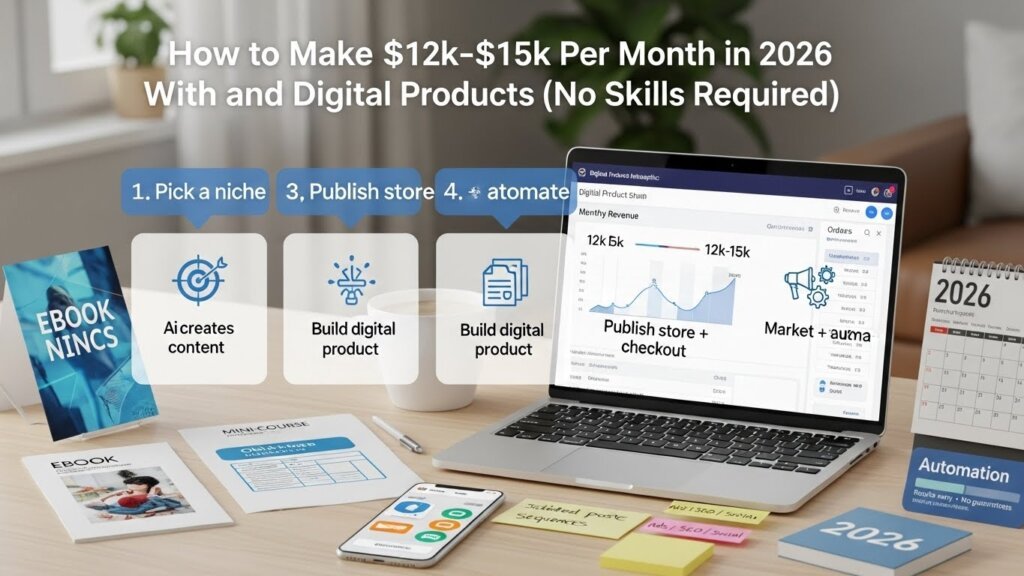
Here’s the basic engine:
Step 1: Pick one small audience
Example audiences:
- Busy students
- New freelancers
- Small business owners
- Instagram creators
- Job seekers
- Moms managing home + work
- People preparing for exams
You don’t need a huge niche. Just pick one group.
Step 2: Find a small pain (problem)
Ask: “What’s annoying for them?”
Examples:
- They waste time planning
- They don’t know what to post
- They can’t write a resume
- They can’t manage money
- They don’t know what to say in client messages
Step 3: Create a simple solution
Not a 300-page book. Keep it easy.
Examples:
- A weekly planner template
- 200 caption ideas in categories
- A resume template bundle
- A “client message scripts” pack
- A “30-day content calendar”
Step 4: Use AI to speed up creation
AI helps with:
- Outline, content ideas, text drafts
- Rewriting in simple language
- Naming the product
- Creating variations
- Marketing captions and emails
AI is like your assistant. Not your boss.
Step 5: Sell on simple platforms
You can sell on:
- Etsy
- Gumroad
- Payhip
- Stan Store / similar
- Your own website later (optional)
Step 6: Promote using content
Main traffic sources:
- Instagram Reels
- YouTube Shorts
- Blog posts (SEO)
- Email list
You post helpful content. People trust you. Then they buy.
That’s it.
It’s not magic. It’s a loop.
Why Beginners Should Care (Especially in 2026)
Because this model is:
- Low cost to start
- Low risk (no inventory)
- Scalable (sell same product many times)
- Beginner-friendly (AI reduces overwhelm)
- Global (sell to US, UK, India, anywhere)
Also, in 2026, people are buying digital stuff like crazy because it saves time.
Time is expensive now.
And when time is expensive, templates sell.
(That sounds like a quote you can print and sell as a template. See? You’re learning already.)
Common Myths and Mistakes
Myth 1: “AI will do everything”
Nope. AI can help you write and structure, but you must:
- Choose what to sell
- Keep it simple
- Make it useful
- Make it readable
- Make it ethical and original
Myth 2: “I need a big following”
You don’t. A small audience works.
If you have 500 followers and 30 of them buy a $19 product, that’s $570.
Not bad for a beginner.
Myth 3: “I must be a designer”
You can use Canva templates and clean layouts.
Simple sells. Clean sells. Useful sells.
Myth 4: “I’ll make $15k next month”
Please don’t do that to your brain.
Most people take time to build traffic + trust.
But once it clicks, it becomes steady.
Mistake 1: Making too many products
Start with one product and improve it.
Mistake 2: Selling boring stuff with no clear result
People don’t buy “ebook.”
They buy: “How to fix my problem faster.”
Mistake 3: Copying others
Don’t. It’s risky, unethical, and hurts your long-term growth.
If you want long-term money, play clean.
Realistic Earning Potential (Honest, No Fake Hype)
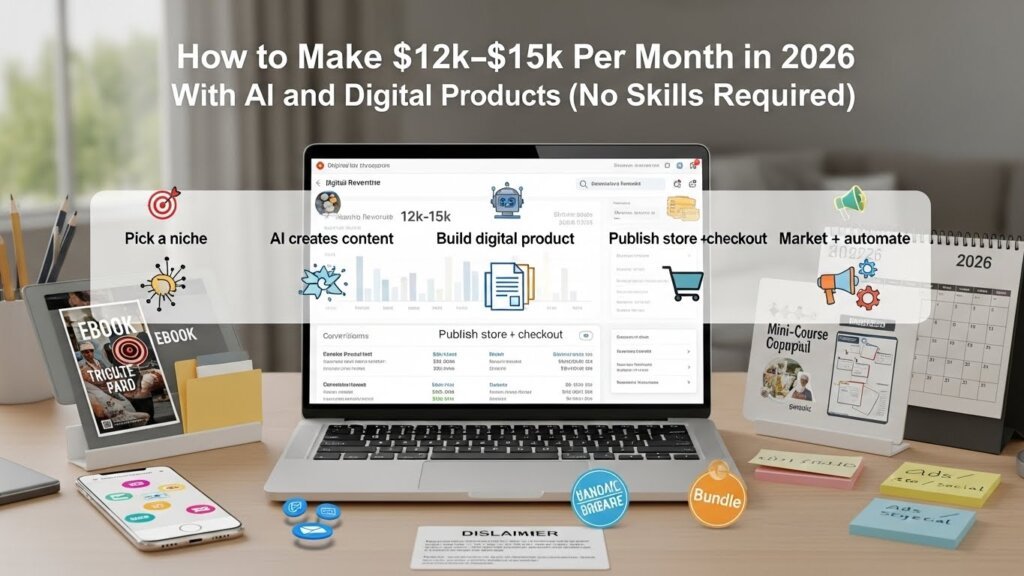
Let’s talk money in a realistic way.
$12k–$15k/month is possible, but it usually happens when you have:
- Multiple products OR one strong product + upsells
- Consistent traffic (Pinterest/SEO/Reels)
- Good product-market fit (people actually want it)
- Reviews, proof, and better branding over time
Here are realistic example math scenarios (not promises):
Scenario A: Mid-priced products
- 400 sales/month × $35 average = $14,000/month
That’s around 13 sales/day.
Scenario B: Low-priced products + volume
- 1,500 sales/month × $10 = $15,000/month
That’s 50 sales/day (harder, needs strong traffic).
Scenario C: Bundle + upsells
- 250 sales × $39 = $9,750
- 150 upsells × $25 = $3,750
Total = $13,500/month
Scenario D: One premium offer
- 75 sales × $199 = $14,925
Harder to sell, but fewer customers needed.
So yes, it’s possible. But not automatic.
Think of it like gym:
You don’t get six-pack from one day of push-ups… sadly.
If that worked, everyone would be walking around looking like superheroes.
Step-by-Step Practical Guide (Beginner Plan)
This is the part you can follow like a checklist.
Step 1: Pick a “simple niche” you can understand
You don’t need to be an expert. You just need to be one step ahead, or at least curious.
Good beginner niches:
- Productivity and planning
- Job search / resumes
- Small business social media
- Student study systems
- Personal finance basics (budgeting templates)
- Fitness tracking (habit trackers)
- Content creation templates
Pick one.
Step 2: Do quick market research (easy method)
Go to Etsy and search:
- “Notion planner”
- “Canva Instagram template”
- “resume template”
- “content calendar”
Look at:
- Products with lots of reviews
- What buyers say in comments
- The price range
- What’s included in bundles
You’re not copying. You’re learning what people want.
Also check:
- Pinterest trends (what people save)
- YouTube comments (what they ask repeatedly)
- Reddit / Quora (pain points)
Step 3: Choose ONE product idea (start small)
Beginner-friendly product ideas that sell:
- “30-Day Instagram Content Calendar for [niche]”
- “Notion Student Planner (Exam + Daily + Revision)”
- “Client Onboarding Pack for Freelancers”
- “Job Application Tracker + Resume Template Bundle”
- “Budget Planner + Debt Tracker Spreadsheet”
Your first product should be simple enough to finish in 2–7 days.
Step 4: Build it using simple tools
Options:
If you like templates:
- Canva for PDF planners, social templates, checklists
- Notion for dashboards, planners
- Google Sheets for trackers and calculators
Keep design clean:
- 2 fonts max
- 2–3 colors max
- Lots of spacing
- Clear headings
Beginner tip: Don’t over-design. People want usefulness, not a wedding card.
Use AI for content + structure
Use AI to:
- Create section headings
- Generate examples
- Write instructions for the template
- Create “how to use” pages
- Suggest titles and descriptions
But you must read and simplify it.
Make it sound like a human wrote it.
Step 5: Add real value (this is where you win)
Most beginner products fail because they’re too generic.
So add:
- A “Quick Start” page
- 10 filled examples (so user understands instantly)
- A checklist page
- Bonus mini guide (2–5 pages)
- A “common mistakes” page
These small things increase reviews and reduce refunds.
Step 6: Package it nicely
Your product needs:
- Main file (template / PDF / link)
- Instructions file (simple)
- Terms of use (personal use / commercial use)
- Support note (how to contact)
Step 7: Create a sales page that’s clear
Your listing should answer:
- What is it?
- Who is it for?
- What problem does it solve?
- What’s included?
- How do I use it?
- Is it beginner-friendly?
Add screenshots.
Write like you’re talking to one person:
“अगर you’re tired of planning every week from zero, this will save you time.”
Step 8: Price it smartly (beginner approach)
Try:
- Small product: $9–$19
- Bundle: $19–$49
- Premium bundle: $79–$199
Pricing depends on niche and value.
A good trick:
Start slightly lower to get sales + reviews.
Then increase price once you have proof.
Step 9: Promote with a simple content system
You don’t need to dance on reels (unless you want).
You just need consistent content.
Pick 1–2 platforms:
Pinterest (great for templates)
- Create 2–5 pins per day (scheduled)
- Each pin links to your product page
- Pinterest works slow but steady
Instagram Reels (fast reach)
- Short tips + show template
- “Before/after” demos
- “3 mistakes beginners make” content
YouTube Shorts
Same content as reels, different platform.
SEO blog posts (long-term traffic)
Write posts like:
- “Best Notion Planner for Students in 2026”
- “How to Plan Content for Instagram (Free Template)”
- “Resume Template for Freshers: What to Include”
Yes, blog traffic takes time. But it compounds.
Step 10: Build an email list (optional but powerful)
Offer a freebie:
- Free mini template
- Free checklist
- Free 7-day planner
Collect emails using:
- ConvertKit / MailerLite (beginner-friendly)
Then send:
- Helpful tips
- Product demos
- Discounts occasionally
Email list is like owning your audience.
Social media is like renting it.
Tools, Platforms, and Methods You Can Use in 2026
Here’s a beginner stack (simple and popular):
Creation Tools
- Canva (design, PDFs, templates)
- Notion (dashboards and planners)
- Google Docs/Sheets (guides + trackers)
- ChatGPT or similar AI tools (ideas, drafts, rewrites, outlines)
Selling Platforms
- Etsy (built-in buyers, good for printables/templates)
- Gumroad (simple, digital delivery)
- Payhip (EU/UK sellers like it, also simple)
- Shopify (later, for a full store)
Marketing Tools
- Pinterest (organic traffic)
- Instagram (trust + community)
- YouTube (search + authority)
- Email marketing (repeat buyers)
Organization Tools
- Trello / Notion (content calendar)
- Google Drive (file storage)
Quick joke break:
If you don’t organize your files, your laptop becomes like your brain during exams—everything is “somewhere,” but not found.
Tips to Succeed Faster (Without Burning Out)
1) Focus on one offer for 30 days
Don’t make 10 products and sell none.
Make one product. Market it daily.
2) Improve based on feedback
If people ask:
- “How do I edit this?”
Add instructions.
If they ask:
- “Can you make it for teachers?”
Make a niche version.
3) Make bundles
Bundles increase order value.
Example:
- “Student Planner + Study Tracker + Exam Revision System” bundle
4) Use “content pillars”
Make content around:
- Tips (how-to)
- Mistakes (what not to do)
- Examples (real demos)
- Results (before/after)
- Behind-the-scenes (building your product)
5) Don’t chase perfection
Your first version won’t be perfect. That’s normal.
Version 1 is for learning.
Version 2 is for winning.
6) Make your product easy to start
People love simple.
If a buyer opens your file and feels confused, they’ll leave.
If they open it and go “Ohhh nice,” they’ll buy again.
7) Add a tiny personal touch
Even if AI helped, add your voice:
- small notes
- simple examples
- beginner warnings
- friendly tone
That’s how you build trust.
Beginner-Friendly Mistakes to Avoid (Please Read This)
Mistake 1: Selling “everything for everyone”
If you target everyone, you sell to no one.
Pick one group.
Mistake 2: Using random AI output without editing
AI text can sound repetitive or weird.
Read it out loud.
If it sounds robotic, rewrite simply.
Mistake 3: Not showing what’s inside
People want previews:
- screenshots
- demo video
- sample pages
Mistake 4: Ignoring keywords
If you’re selling on Etsy or writing blogs, keywords matter.
Use phrases like:
- “Notion planner for students”
- “content calendar template”
- “editable Canva template”
Natural use. No stuffing.
Mistake 5: Giving up too early
Most people quit before results.
Digital products often take a few weeks/months to pick up, especially with organic traffic.
Another small joke:
Quitting early is like leaving the movie in the first 10 minutes and saying, “Story boring.” Bro, hero hasn’t even entered yet.
FAQs (SEO-Optimized)
1) Can I really make $12k–$15k per month with AI and digital products in 2026?
It’s possible, but it’s not guaranteed. Reaching that range usually needs a good product, consistent traffic, strong listings, and time to build trust. Think months of steady work, not days.
2) What digital products are easiest for beginners with no skills?
Beginner-friendly options include Canva templates, simple PDF planners, Notion dashboards, checklists, trackers, and short ebooks. These don’t need coding or advanced design—just clarity and usefulness.
3) Do I need a website to sell digital products?
No. You can start on platforms like Etsy, Gumroad, or Payhip. A website is helpful later for branding and SEO, but not required for your first sales.
4) How do I use AI ethically when creating digital products?
Use AI for brainstorming, outlines, and drafts, but add your own structure, examples, and edits. Don’t copy other creators. Don’t sell plagiarized content. Make sure your product is genuinely helpful and original.
5) How long does it take to get my first sale?
Some people get a sale in days (especially on Etsy), others take weeks. It depends on your niche, product quality, listing keywords, and marketing consistency.
6) What’s the best platform in 2026 to sell templates—Etsy or Gumroad?
Etsy is great for built-in traffic (people already searching). Gumroad is great if you bring your own traffic from social media or blog. Many sellers use both.
7) How many products do I need to reach $12k–$15k per month?
There’s no fixed number. Some reach it with one strong product and smart upsells, others with multiple products and bundles. Most beginners do better by starting with one product, then expanding slowly.
Final Conclusion: Your 2026 Plan (Simple and Real)
If you want to learn how to make $12k–$15k per month in 2026 with AI and digital products (no skills required), here’s the truth:
You don’t need to be the smartest person.
You don’t need to be super creative.
You just need to be consistent, practical, and patient.
Start with one small product.
Make it useful.
Sell it in one place.
Promote it every day with small content.
Improve it based on feedback.
Then build a second product or bundle.
That’s how real online income is buil brick by brick.
And if you’re thinking, “But what if I fail?”
Then you’ll be in the same place you are now… but with more experience.
So a better question is:
What if you don’t even try?
If You want To start make making money online then you can check these articles:
20 AI Tools for Online Earning Beginners (Simple Guide 2026)
Real Online Earning Methods for Beginners (Safe & Practical)
How to Earn Money Online With No Skills: A Real, Beginner-Friendly Guide
Business That You Can Start With AI in 2026 (Beginner-Friendly Ideas + Step-by-Step Guide)