If you’ve ever looked at Instagram ads and thought, “Cool but my wallet just fainted,” you’re not alone.
Most beginners believe you need a big budget to get sales. In real life, you need a clear message, consistent content, and a simple system that turns views into clicks.
That’s what this guide is.
You’re going to learn how to run ads for FREE by using Instagram the smart way so your content does the promoting for you, day after day, without paying for every single reach.
And don’t worry. This is not one of those “post one Reel and retire on a beach” stories. This is a real-world, beginner-friendly method I’ve seen normal people use to get steady traffic, leads, and sales.
Ready? Let’s build your free ads machine.
What Is “How To Run Ads For FREE”? (Simple Explanation)
“How to run ads for FREE” means getting the same result as paid ads attention, clicks, leads, and sales without spending money on ad platforms.
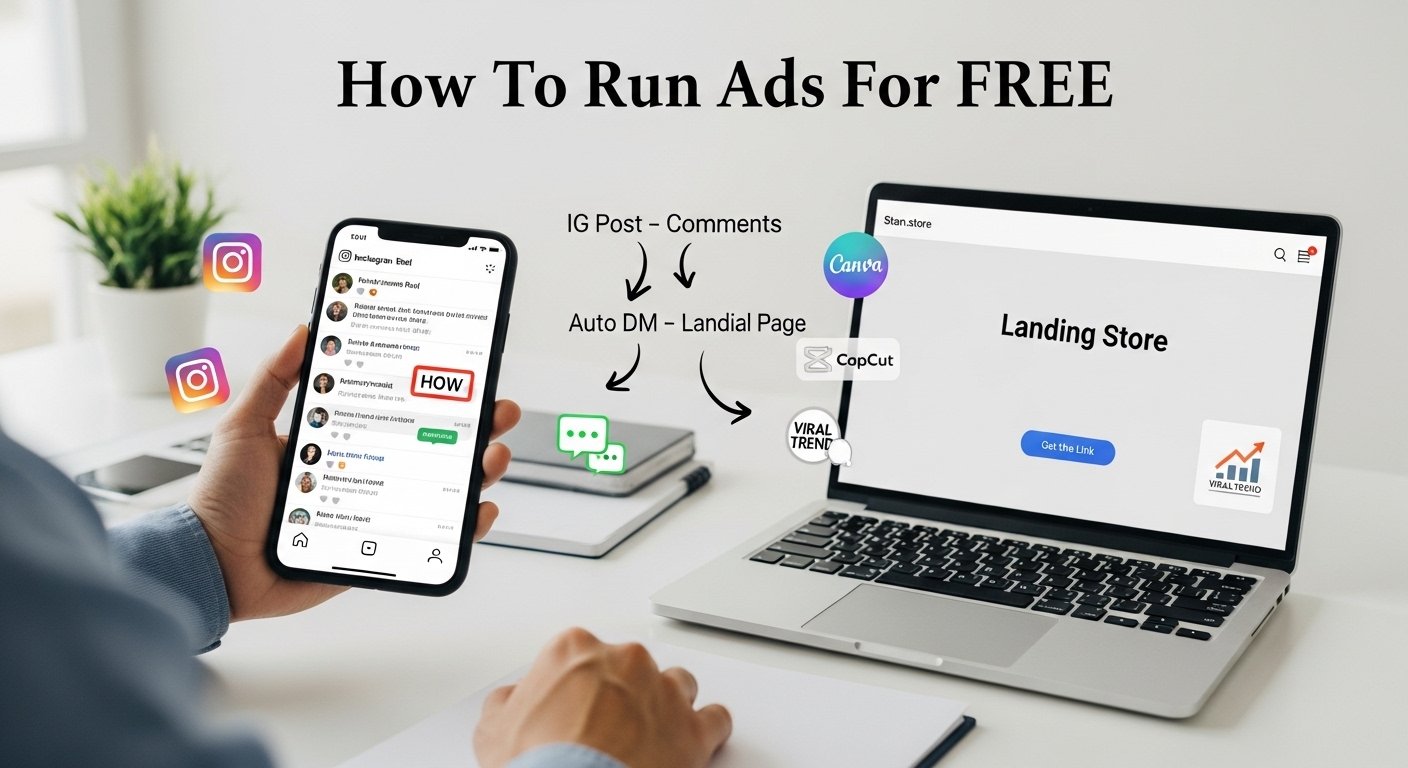
Instead of paying Instagram, Facebook, or Google to show your offer, you:
- Create content that people actually want to watch
- Attach that content to a simple offer (product, service, affiliate link, freebie, etc.)
- Use comments and DMs to deliver the link
- Send people to a landing page that explains what to do next
So your “ad” is your content.
Your “targeting” is the niche you talk about.
Your “sales funnel” is your landing page and DM system.
It’s like building a little digital vending machine. You put in consistent content, and over time it drops you clicks and customers. (No, it doesn’t accept coins. Only consistency.)
How Does It Work? (The Big Picture)
Here’s the simple flow:
- You start an Instagram account about one niche
- You pick a clear name (using Namelix)
- You make a clean profile photo (using Pfpmaker.com)
- You write a bio that says who you help and how
- You create a landing page (with Stan.store)
- You find what’s already going viral (using ViralityAI.net)
- You automate your DMs (using Manychat)
- You create content fast (using Canva and CapCut)
- You post daily and mention your product
- You tell people to comment to receive the link
- Your content becomes your FREE ads
- You invite them to comment “HOW” for your deeper course (or guide)
That’s it. No complicated tech. No 20-tab funnel builder. No “Please buy my $997 mastermind so I can tell you to post Reels.”
Just a clean system you can run as a beginner.
Why Beginners Should Care (Even If You Have Zero Followers)
Beginners should care because paid ads can be expensive, especially when you don’t know what you’re doing yet.
Free content marketing gives you:
- Practice with messaging (what people care about)
- Real feedback (comments, DMs, saves)
- Proof of what works before you spend money
- A chance to grow an audience that trusts you
- Traffic that can keep coming for weeks or months
Also, it’s less scary.
With paid ads, you can lose $50 in an afternoon and not even know what went wrong.
With free ads (content), the worst case is you post something that flops. And guess what? Instagram won’t send you an invoice for flopping.
Common Myths and Mistakes (Let’s Clear the Confusion)
Before you start, let’s fix a few common beliefs that hold people back:
Myth 1: “I need a perfect niche first.”
Nope. You need a clear direction, but you can refine as you go. Start with something you can talk about for 30 days without getting bored.
Myth 2: “I need to show my face.”
Not always. Faceless accounts can do great with screen recordings, text overlays, product demos, and simple talking-head videos using stock clips. Face helps, but it’s not required.
Myth 3: “I need 10k followers to make money.”
Wrong. You need the right offer and the right content. I’ve seen small accounts get sales because their message was clear.
Mistake 1: Posting random content
If your posts are all over the place, people won’t know what you do.
Mistake 2: No call-to-action (CTA)
If you don’t tell people what to do next, they’ll do nothing next.
Mistake 3: Sending people to messy links
A confusing landing page kills results. Keep it simple.
Realistic Earning Potential (Honest Talk, No Hype)
Let’s be real.
This method can bring you:
- More profile visits
- More DMs
- More clicks to your link
- More sales over time
But it’s not instant.
In the beginning, your first wins might look like:
- 1–5 DMs a day
- 10–50 link clicks a week
- A few sales a month (depending on your offer and price)
As you improve content and consistency, it can grow into:
- 10–50 DMs a day on good posts
- Hundreds of clicks a week
- Regular daily sales (if your offer matches your audience)
Your income depends on your niche, product, and how well you talk about the problem you solve. Someone selling a $15 digital download will need more volume than someone offering a $500 service.
So yes, it can work. But the real magic is consistency, not secret tricks.
Step-by-Step Practical Guide: How To Run Ads For FREE Using Instagram
Now let’s build your system the exact way a beginner should.
Step 1: Start an Instagram Account About Your Niche
Your niche is simply the topic you talk about and the people you help.
Pick something that sits in one of these buckets:
- Make money (side hustles, freelancing, budgeting, ecommerce)
- Health (weight loss, home workouts, healthy meals)
- Relationships (dating tips, marriage advice, communication)
- Hobbies (fitness, travel, cooking, art, gaming)
- Personal growth (productivity, confidence, habits)
Beginner rule: pick one niche and stick to it for at least 30 days.
Ask yourself:
- Who do I want to help?
- What problem do they have?
- What small result can I help them get?
Example niches that work well for free content “ads”:
- “Meal prep for busy moms”
- “Fitness at home with no equipment”
- “Canva designs for small businesses”
- “Beginner digital products”
- “Study tips for students”
Keep it simple. You can always tighten it later.
Step 2: Create a Name With Namelix
Your Instagram name matters because it gives people an instant clue.
Use Namelix to generate name ideas based on keywords. You want something that is:
- Easy to read
- Easy to spell
- Related to your niche
- Not too long
A good formula:
- Keyword + benefit: “BudgetBetter”, “StudySmartDaily”
- Keyword + style: “FitnessSimplified”, “CanvaQuickTips”
- Keyword + identity: “TheMealPrepCoach”, “TheSideHustleBuddy”
Don’t overthink it. You’re not naming a spaceship. You’re naming an Instagram account.
Pro tip: also check if the username is available on Instagram before you fall in love with it.
Step 3: Create a Profile Photo With Pfpmaker.com
Your profile photo is like a tiny billboard. It has to be clear even when it’s the size of a pea.
Pfpmaker.com makes this easy.
Use a photo that is:
- Bright
- Clean
- High contrast
- Close-up (face or logo)
- Not crowded
If you’re doing a faceless brand, you can use a simple logo or icon. Just make sure it looks professional and matches your niche vibe.
Remember: people judge quickly. Give them a reason to take you seriously.
Step 4: Explain How and Who You Help in Your Bio
Your bio should answer this in 3 seconds:
- Who is this for?
- What do they get?
- What should they do next?
A simple bio template:
Line 1: Who you help + niche
Line 2: What result you help them get
Line 3: Proof or credibility (optional)
Line 4: Call-to-action (CTA)
Example (digital products niche):
Helping beginners sell simple digital products
Step-by-step content + tools that work
New tips daily
Comment “HOW” for the full guide
Example (fitness niche):
Home workouts for busy people
Simple routines you can follow today
No gym needed
Comment “START” for my plan
Keep it clear. A “clever” bio that confuses people is not clever. It’s just confusing.
Step 5: Create a Landing Page With Stan.store
Instagram doesn’t like messy linking. You want one clean place where people can:
- Learn what you offer
- Grab a freebie
- Buy your product
- Book a call
- Join your email list
Stan.store is beginner-friendly because it’s easy to set up and looks clean on mobile.
What to put on your landing page:
- Your main offer (top)
- A free value option (like a checklist or mini guide)
- A short “about” section
- Testimonials (if you have them later)
- A clear button (Buy / Download / Book)
Beginner landing page tip: don’t add 20 buttons. Too many choices kills action.
Think of it like a small menu, not a full grocery store.
Step 6: Use ViralityAI.net to Find Viral Content
Most beginners waste time guessing what to post.
Instead, you want to study what’s already working, then make your own version.
ViralityAI.net helps you find viral content ideas in your niche so you can spot patterns like:
- What hooks people use
- What topics get saves and shares
- What video styles work best
- What people comment on
Important note: don’t copy word for word.
Use the “remix” method:
- Keep the core idea
- Change the example
- Change the visuals
- Add your personality
- Make it clearer or simpler
Think of it like cooking. You can use the same recipe idea as someone else, but your ingredients and flavor should be yours. (Also, nobody owns “salt and pepper.”)
Step 7: Automate DMs With Manychat
This is where the “free ads” system gets powerful.
When a post does well and 50 people comment “link,” you don’t want to manually DM everyone. That’s how you end up crying into your keyboard at 1 a.m.
Manychat lets you automate Instagram DMs so when someone comments a keyword (like “HOW”), they automatically receive a message with your link.
Simple flow:
- You make a post and say: “Comment HOW and I’ll send you the link”
- People comment “HOW”
- Manychat auto-sends: “Here’s the link!”
- They click your Stan.store landing page
- They join, buy, or download
This does two big things:
- It increases engagement (comments)
- It turns engagement into action (clicks)
And yes, it feels like magic the first time it works.
Step 8: Create Content Using Canva / CapCut
Your content is your free advertising engine.
You don’t need fancy gear. You need clarity and consistency.
Use Canva for:
- Carousel posts (slides)
- Quote-style posts
- Simple infographics
- Lead magnets and checklists
Use CapCut for:
- Reels editing
- Captions
- Fast cuts and transitions
- Templates
Content types that work great for “how to run ads for FREE” style marketing:
- “3 mistakes you’re making with”
- “Do this instead of”
- “How to get in 10 minutes”
- “Stop doing, start doing”
- “My simple system for”
Keep your content simple and helpful. People don’t need more noise. They need solutions.
Step 9: Post Daily and Mention Your Product
Posting daily is not about being perfect. It’s about building momentum.
If daily feels like too much, start with 5 days a week. But consistency matters more than intensity.
Here’s the key: mention your product naturally.
Ways to do it without being pushy:
- “If you want my full checklist, it’s in the link”
- “I put the full steps in my guide”
- “This is step 1. Step 2–10 are in my mini course”
- “Want the template? I’ll send it”
You’re not “annoying.” You’re giving people a next step.
If you don’t mention your product, your audience will assume you don’t have one.
Step 10: Tell Them to Comment to Receive the Link
This is one of the simplest growth and conversion tricks on Instagram.
Instead of saying “link in bio” every time, you say:
“Comment HOW and I’ll send you the link.”
Why it works:
- It boosts comments (Instagram likes that)
- It starts a conversation (trust builds faster in DMs)
- It makes people feel like they’re getting something personal
Make sure your keyword is easy:
- HOW
- GUIDE
- LINK
- START
- PLAN
And yes, you can test different keywords.
Step 11: Your Content Is Now FREE Ads. Use It.
At this point, you’ve built something powerful:
- Your profile explains what you do
- Your landing page collects and converts traffic
- Your content brings new people daily
- Your DMs deliver links automatically
That’s free advertising.
Your posts are working like ads, but you’re not paying per click.
Even better: a good Reel can bring views for days or weeks. Paid ads stop the second you stop paying. Content can keep going.
So when something works, double down:
- Make part 2
- Make a deeper version
- Change the hook and repost the idea
- Turn it into a carousel too
This is how you build “evergreen” free traffic.
Step 12: Comment “HOW” for In-Depth Course (Your CTA System)
Now we bring it all together.
You end your posts with a simple call-to-action:
“Comment ‘HOW’ and I’ll send you the in-depth course.”
Even if you don’t have a full course yet, you can start with:
- A free guide
- A mini training
- A simple PDF
- A low-priced starter product
Then later, you can build a bigger offer once you know what your audience wants most.
The goal is simple: turn attention into action.
Tools, Platforms, and Methods (Quick List You Can Bookmark)
Here’s your beginner toolkit:
- Instagram: your traffic source (your “free ads platform”)
- Namelix: helps generate brand/account names
- Pfpmaker.com: makes clean profile photos fast
- Stan.store: creates a landing page to host your links and offers
- ViralityAI.net: helps you find viral content patterns and ideas
- Manychat: automates DMs from comments/keywords
- Canva: design for carousels, posts, freebies
- CapCut: edit Reels quickly with captions and templates
You don’t need all of this at once, but it’s a great stack for building a simple system.
Tips to Succeed Faster (Without Burning Out)
Pick one content format for 2 weeks
If you try to do Reels, carousels, Lives, Stories, and YouTube all at once you’ll quit.
Start with one main format:
- Reels (best reach)
or - Carousels (great saves and shares)
Write hooks like your rent is due
The first line matters. Examples:
- “You’re doing Instagram wrong if you’re not doing this…”
- “I wasted 6 months until I learned this…”
- “Here’s how beginners are getting clients without ads…”
- “Stop boosting posts. Do this instead…”
Your hook is your “front door.” Make people walk in.
Use simple examples
Don’t just teach theory.
If you’re in the fitness niche, say:
“Do 10 squats while your coffee brews.”
If you’re in the money niche, say:
“Offer Canva flyer designs to local restaurants for $50.”
Real examples make your content feel human.
Track what works
Once a week, check:
- Which posts got the most saves?
- Which posts got comments with your keyword?
- Which posts sent the most profile visits?
Then make more of what worked.
Beginner-Friendly Mistakes to Avoid (Save Yourself the Headache)
Mistake 1: Making content that’s too broad
“Motivation” is not a niche.
“Motivation for students to study” is better.
Mistake 2: Selling before giving value
People buy after trust. Give helpful content daily, then invite them to take the next step.
Mistake 3: A confusing landing page
Your landing page should not look like a garage sale. Keep the main offer clear.
Mistake 4: Waiting for confidence
Confidence comes after you start, not before. If you wait until you feel ready, you’ll be waiting longer than a kid waiting for summer break.
Mistake 5: Copying viral content exactly
Remix, don’t clone. Your voice is the brand.
FAQs About How To Run Ads For FREE
1) Can I really run ads for free on Instagram?
You can’t run “official” paid ads for free, but you can get the same outcome traffic and sales by using content as your advertising. That’s what people mean by how to run ads for FREE.
2) How long does it take to see results with free content ads?
Most beginners start seeing profile visits and DMs within 2–4 weeks of consistent posting. Sales depend on your offer and how well your content matches what people want.
3) Do I need a product before I start posting?
Not necessarily. You can start by growing your niche account, offering a free guide, or using affiliate products. But having even a simple starter offer helps you learn faster.
4) Is Manychat allowed for Instagram automation?
Manychat is a widely used platform for Instagram DM automation. Always follow Instagram’s rules, avoid spammy messages, and keep your DM helpful and friendly.
5) What should I sell if I’m a complete beginner?
Start simple: a low-priced digital download, a checklist, templates, a short mini course, or a beginner service. Pick something you can deliver easily and improve over time.
6) What if I’m shy and don’t want to show my face?
You can grow a faceless account using text-based Reels, screen recordings, voiceovers, stock clips, and carousel posts. Your clarity matters more than your camera confidence.
7) How many times should I mention my product?
Lightly mention it in most posts, and directly invite action in some posts. A good balance is: 70% pure value, 30% value + CTA. If people don’t know you have an offer, they can’t buy it.
Final Thoughts: Your “Free Ads” System Starts With One Post
You don’t need to pay for ads to start getting attention online.
You need a niche, a clean profile, a simple landing page, and content that helps people. Then you connect it with a comment-to-DM system and post consistently.
That’s how to run ads for FREE in a way that’s ethical, beginner-friendly, and actually sustainable.
Start messy, learn fast, and improve as you go. One good post can bring you your first DM. One DM can bring your first sale. And that first sale will make everything feel real.
Now you’ve got the system.
If you want the in-depth course version of this process, comment “HOW” and I’ll send you the link.